What is a statuspage and what is it used for?
Updated on
Jana Sauer
Nowadays, a status page is more than just an add-on for IT teams. It is a central communication tool that builds trust, reduces support requests, and measurably increases user satisfaction. Especially for SaaS providers, platform operators, and IT departments, a professional status page has become a standard requirement.
In this post, you will learn what a status page is, the benefits it offers, which features it should include, and how to implement it successfully.
TL;DR:
A status page displays the current state of systems, services, or applications.
They ensure transparency, lower support workloads, direct communication, and a professional brand image.
Status pages are now a core component of the incident management process.
A status page is useful for any company that offers products or services and wants to communicate their availability to customers, users, or stakeholders.
Personalized, clear status pages are essential for customer trust and brand identity.
What is a Status Page?
A status page (also called a system status page) is a publicly or internally accessible website that displays the real-time status of IT systems, services, or applications.
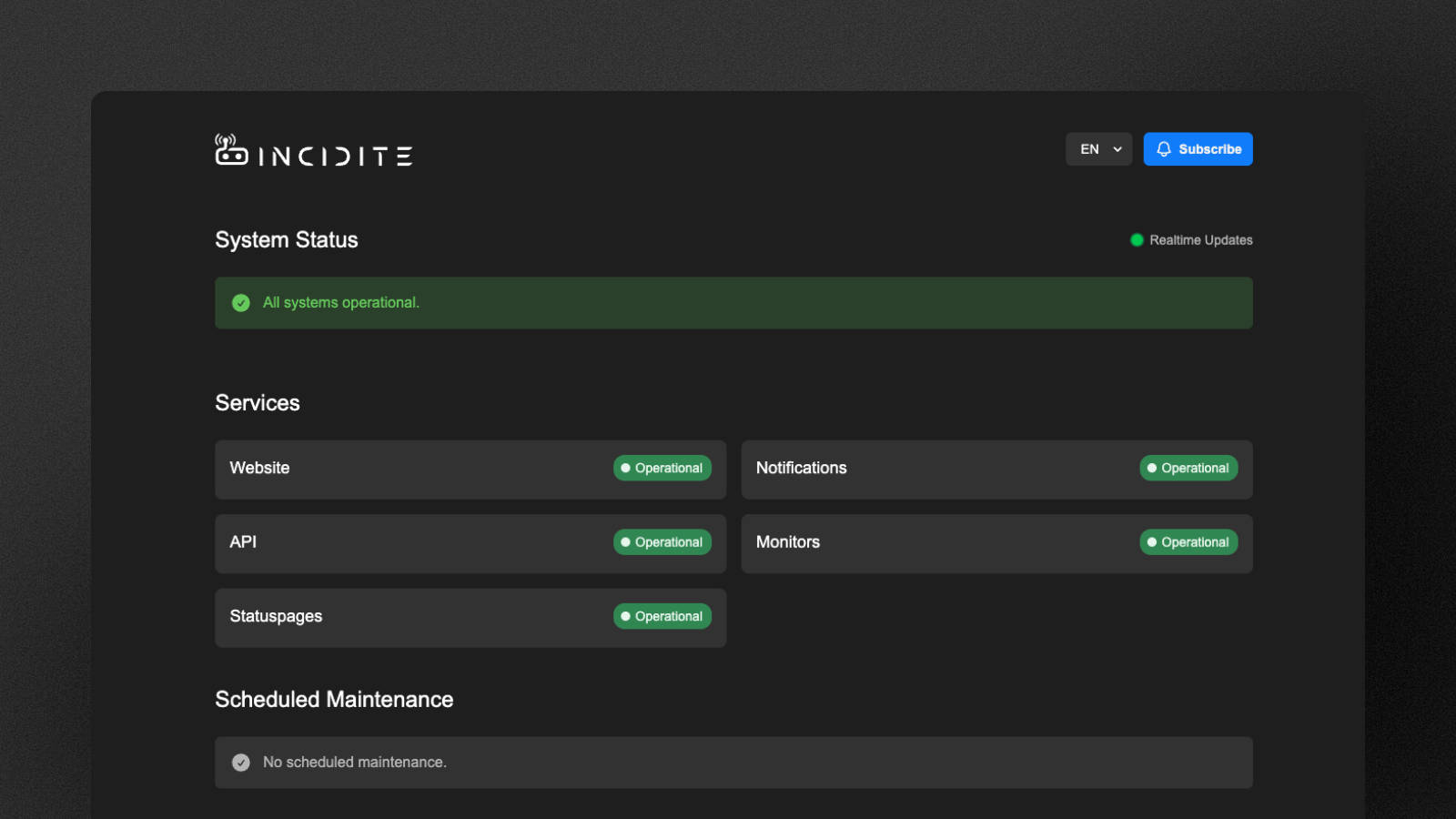
A status page typically includes the following information:
System availability (e.g., Operational, Degraded Performance, Outage)
Ongoing disruptions or maintenance work
Historical outages and incidents
Scheduled maintenance windows
The goal is to provide transparent and proactive information regarding system states. This is what Incidite's own status page looks like, for example:
Why is a Status Page important?
1. Transparency Builds Trust
Customer trust requires openness. A status page shows that problems are not being hidden but are instead being actively communicated.
2. Fewer Support Requests
When customers can check the current system status themselves, the volume of support tickets drops significantly. This allows resources to be allocated even more effectively.
3. Better User Experience
Clear status updates reduce frustration and the need for long searches, especially during outages.
4. Professional Brand Image
Having your own status page signals reliability and completes your brand identity.
How are Status Pages Related to Incident Management?
Incident management focuses on resolving and communicating incidents. A status page acts as the bridge between internal and external communication. All major progress regarding an incident is shared on the status page, keeping customers up to date.
Who Should Use a Status Page?
A status page should be offered wherever availability is business-critical. This includes, among others:
🧑💻 SaaS companies
☁️ Cloud & hosting providers
👜 E-commerce platforms
🏢 Internal IT departments
⚙️ APIs & developer platforms
Key Features of a good Status Page
Most modern status pages share a core set of features to fulfill their primary purpose:
1. Real-Time Status Display: Current state of all services, components, or regions.
2. Incident Management: Ongoing incidents, timestamped updates, and final reports/post-mortems.
3. Maintenance Announcements: Communicating scheduled maintenance transparently and in advance.
4. History & Uptime Statistics: Past disruptions and availability data.
5. Notifications: Allowing customers, stakeholders, etc. to subscribe to updates.
6. Customizability: White-labeling by adding logos and adjusting colors to match brand identity, as well as using a custom domain.
7. Integration into the Incident Management Environment: A status page should go hand-in-hand with the incident management process and be included natively rather than being a separate add-on.
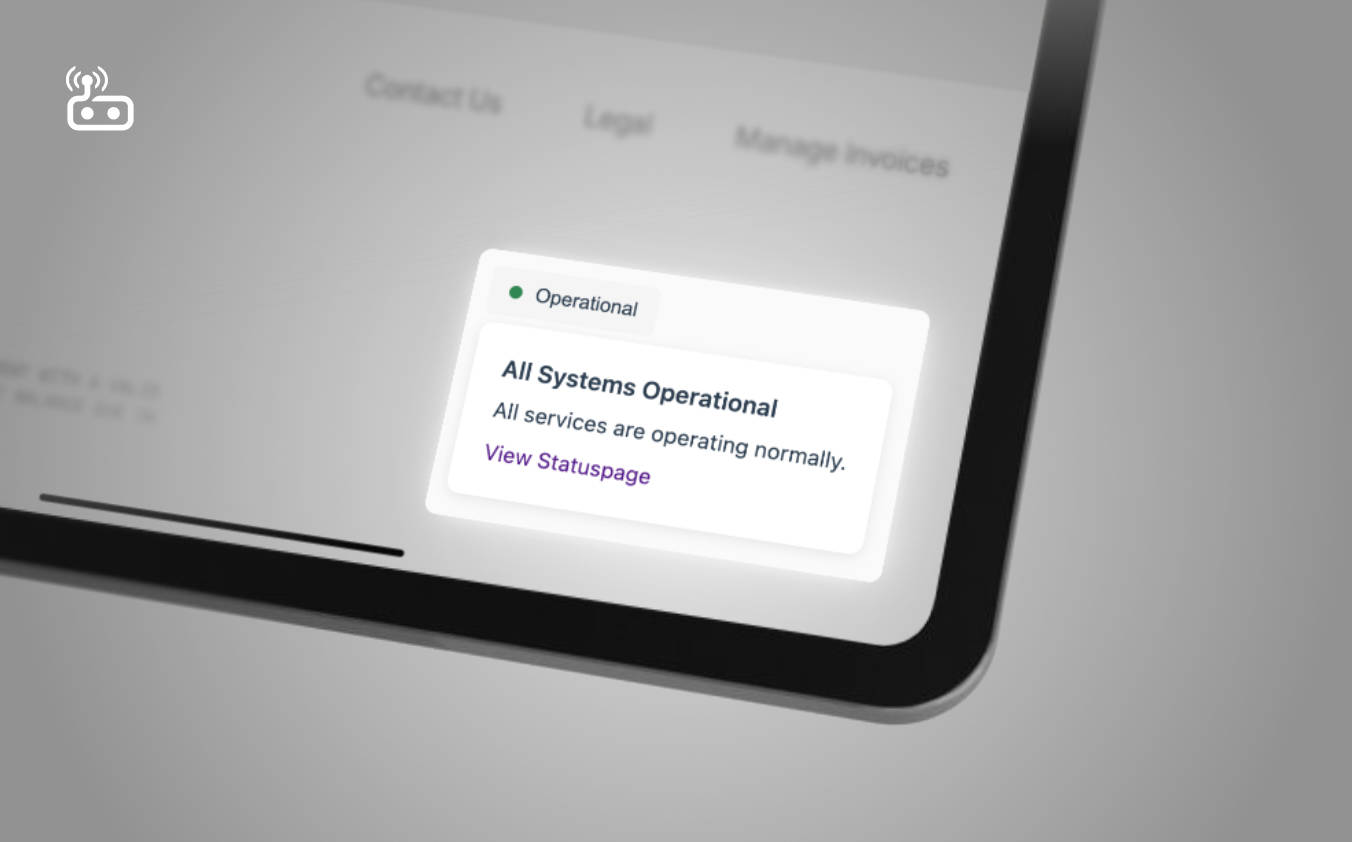
8. Status Widget: A widget on your main website shortens the path for customers looking for status info and increases transparency.
Incidite offers such status widgets, here's an example:
How much is a Status Page?
Some companies like Atlassian charge extra for a status page. Most companies however - including Incidite - see statuspages as a crucial part of incident management. Therefore, status pages are available in every plan offered by Incidite - even our free version.
Thanks for reading!
Got a suggestion or need help? Let us know